
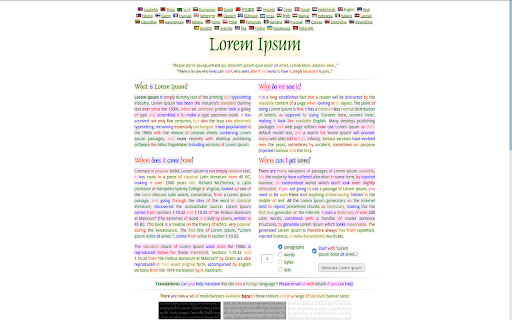
Grammarly Colorizer reads any webpage you visit and decorates it with colors, highlighting the grammatical structure of the text. By making it easier to scan the page with your eyes, it trains your brain on a subconscious level and improves your reading comprehension over time.
You can set custom colors in the extension options, so the highlighting matches your personal reading style. If you want better accuracy, you can also enable deep learning mode in the options. This mode parses pages more slowly but delivers better parsing quality.
Please be aware that deep learning mode may use the graphics card, and if it encounters video driver issues, it may cause your computer to reboot. With deep learning mode enabled, you can also display the sentence dependency tree: the root is underlined in black, and the width of the orange underlines denotes the depth inside the dependency tree.
As for language support, English is the only language for the fast parser, while deep learning mode supports both English and French starting from version 0.96. Version 0.98 is smaller and faster, but less accurate than earlier releases.
Subscribe to get the latest Grammarly Colorizer and global AI updates.



Comments
Loading comments…